
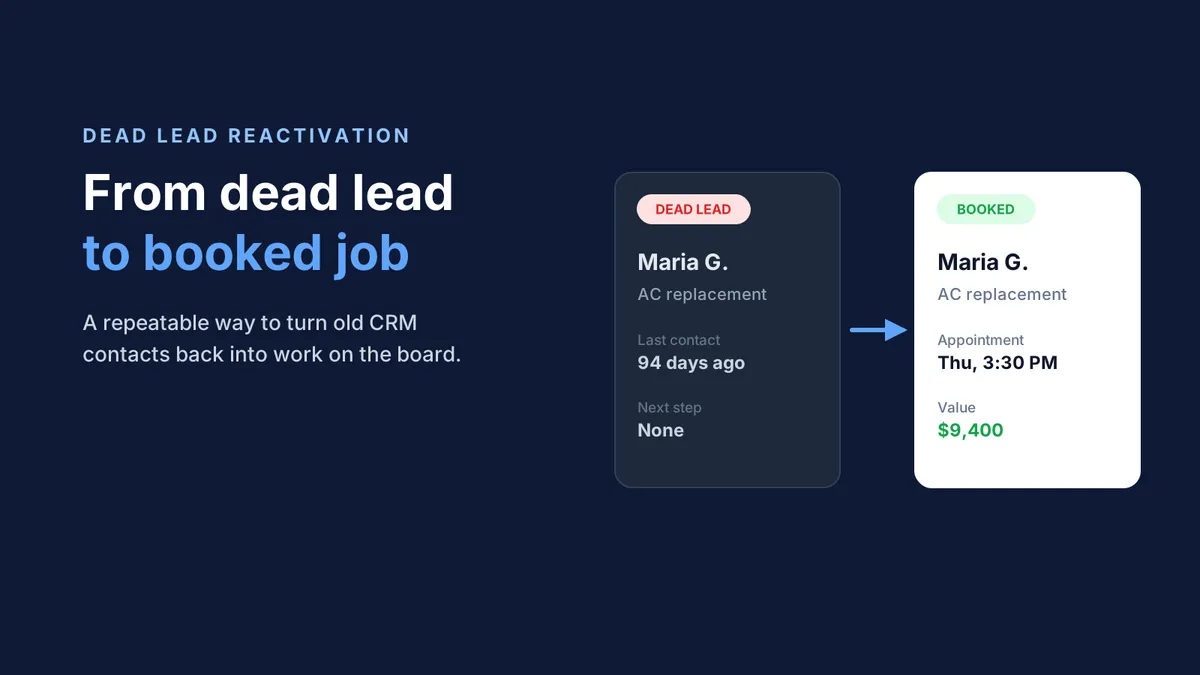
How to Turn Dead Leads in Your CRM Into Booked Jobs
You have a list of leads in your CRM that everyone on your team has quietly given up on. The homeowner who wanted a water heater quote in April. The roof estimate from last fall. The family that booked an AC tune-up, then never answered the confirmation call.
Most contractors call these dead leads. Most of them are not dead. They are just unattended. This guide walks through exactly how to reactivate old leads: which ones to target, what to say, when to reach out, and how to do it at scale without burying your dispatcher.
What Counts as a Dead Lead
A dead lead is any contact in your CRM who showed interest but has not had a meaningful conversation with your team in 30 days or more. In home services, they usually fall into four buckets:
Lead type | What happened | Typical age |
|---|---|---|
Unbooked inquiry | Called or filled out a form, never scheduled | 30 to 180 days |
Unclosed estimate | Got a price, never said yes | 30 to 365 days |
No-show or cancellation | Booked, then dropped off the board | 14 to 90 days |
Past customer | Served once, due for maintenance or replacement | 6 to 24 months |
A lead is truly dead only if the person asked you to stop contacting them, the number is wrong, or they already hired someone else and said so. Everyone else is a lead you have not finished working. Unclosed estimates deserve special attention, since the homeowner already saw a price. We cover that group in depth in how to reactivate declined job estimates.
Why Dead Leads Are Still Worth Money
Dead leads are worth chasing for three simple reasons.
You already paid for them. In January 2026, SearchLight's data on 816 HVAC and plumbing contractors put the blended Google Ads cost per lead at $104 (source). Every lead that never books is spend you have not collected on yet.
The need rarely goes away. A homeowner whose 18-year-old furnace was quoted for replacement last spring still has an 18-year-old furnace. A leak that was "not urgent yet" in March gets worse by June. Many of these people put the decision off. They did not solve the problem.
They already know you. A warm contact who once asked for your help is far easier to book than a stranger clicking an ad for the first time. You are not starting from zero.
The Reactivation Sequence, Step by Step
Here is a repeatable process for turning old leads into booked jobs.
Pull and clean the list. Export every unbooked inquiry, open estimate, no-show, and lapsed customer from ServiceTitan, Housecall Pro, or Jobber. Remove anyone who opted out, hired someone else, or has a bad number.
Segment by what they wanted. Group leads by service type and age. An open AC replacement estimate needs a different message than a drain cleaning inquiry from two months ago.
Write a message that references the original request. Skip "Just checking in." Say something specific: "Hi Maria, this is Northside Heating and Air. You asked about a new AC system back in June. Is that still on your list before next summer?"
Give them a reason to reply now. A seasonal tune-up window, a financing option, or an open slot this week gives the homeowner a reason to act today instead of later.
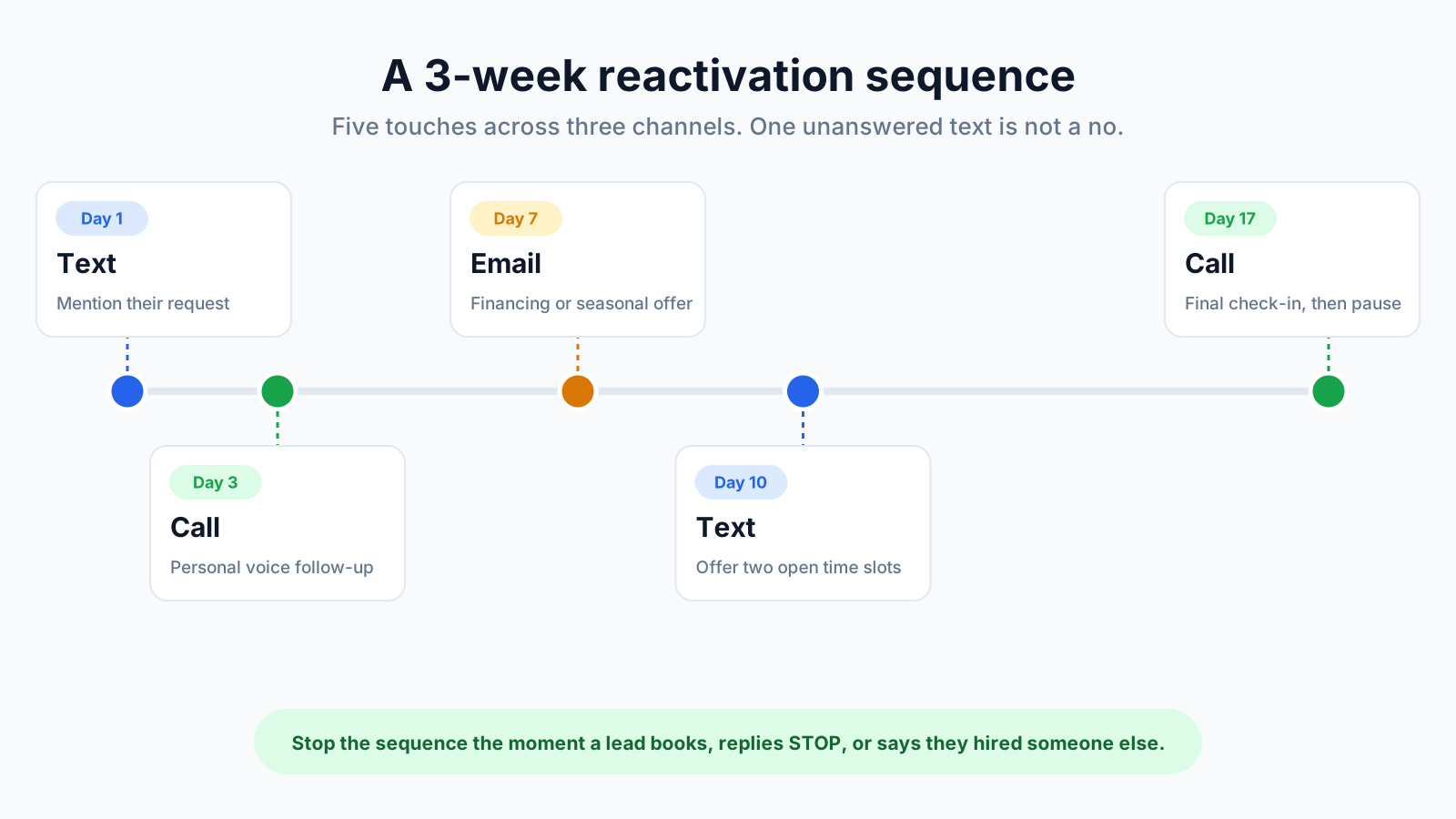
Follow up more than once. Plan three to five touches over two to three weeks across different channels. One unanswered text is not a no.
Answer every reply fast. A reactivated lead who writes back is a hot lead again. If they wait hours for an answer, they go cold a second time.
Book the job, then log the result. Put the appointment on the board and tag the lead as reactivated, so you can measure what the program earns.
Timing and Channel
When you reach out, and how, decides whether a reactivation campaign books jobs or just makes noise.
Timing. Line up outreach with the moments homeowners are already thinking about the problem:
Before the season turns. Reach AC leads in early spring and furnace leads in early fall, before the first heat wave or cold snap floods your phones.
At 30, 60, and 90 days. These are natural checkpoints for leads that went quiet, before they forget your name entirely.
During business hours in their time zone. A text at 9:40 on a Saturday night does not feel helpful.
Channel. Text usually gets the fastest reply, a call carries the most weight on a big-ticket estimate, and email works for longer context like financing details. A mix of all three reaches more people than any one alone.
Why blast texts backfire
This is where most contractors go wrong. The CRM has a bulk messaging button, so someone sends one text to all 500 old leads at once: "Hi! Still need help with your HVAC? Reply YES."
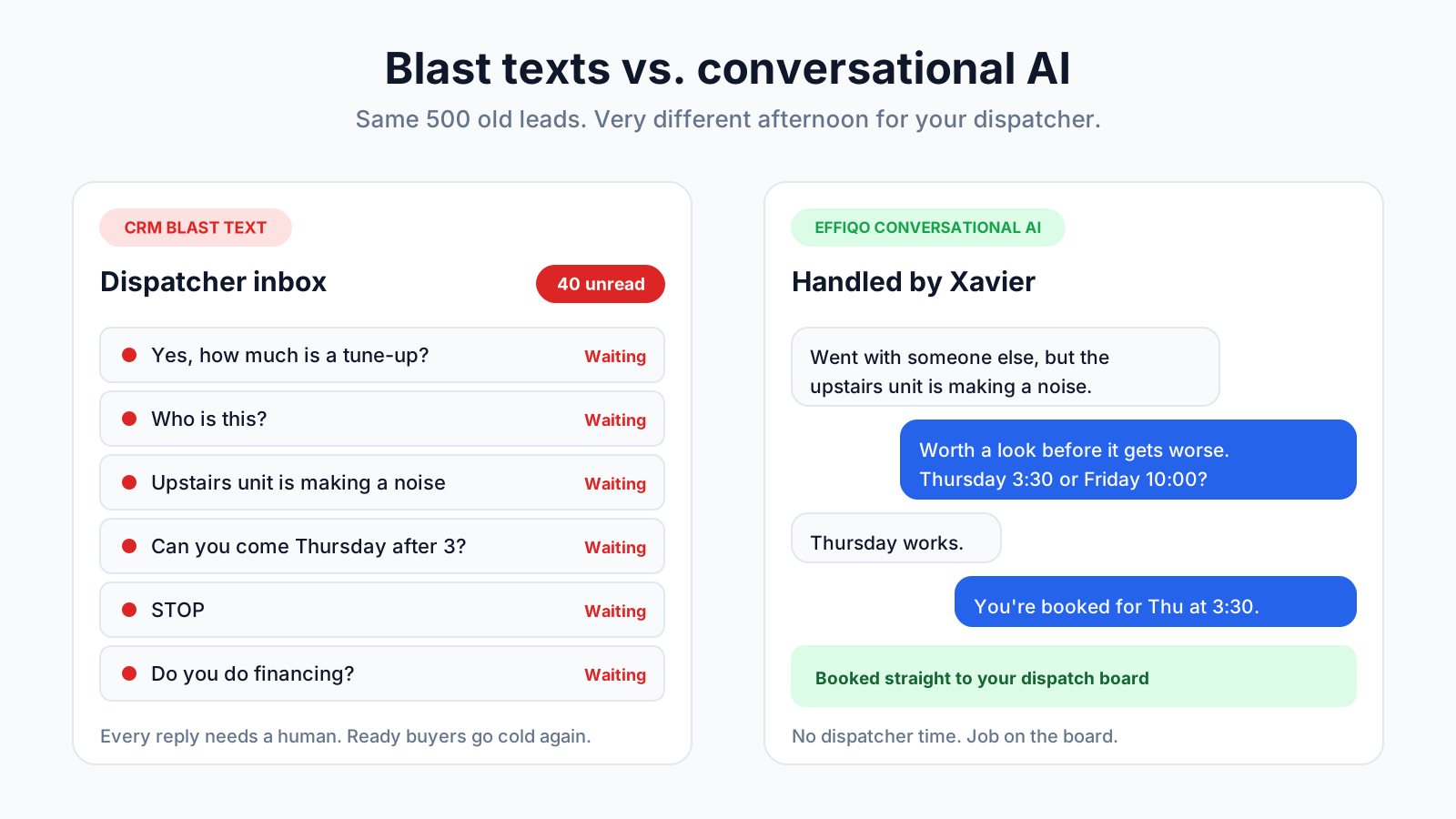
Then the replies come in. Forty of them in the first hour.
"Yes, how much is a tune-up?"
"Who is this?"
"We went with someone else, but the upstairs unit is making a noise."
"Can you come Thursday after 3?"
"STOP"
Every one of those lands in your dispatcher's inbox. Each needs a real answer, a price, a calendar check, or a callback. Your dispatcher is already juggling live calls and tech schedules, so the replies sit. By the time someone gets to them the next afternoon, the homeowners who were ready to book have moved on. The campaign woke up demand, then lost it again, and created an inbox nightmare in the process.
A blast text does not reactivate leads. It just shifts the follow-up work back onto your team, all at once. It is the same trap we covered in missed call text back: an auto-text is only the start of a conversation, and someone still has to finish it.
Automating Lead Reactivation at Scale
The answer is not to send fewer messages. It is to make sure every reply gets a real conversation without a person having to type it. That is the difference between a blast text and conversational AI.
CRM blast text | Effiqo conversational AI | |
|---|---|---|
Outreach | One generic message to everyone | Personal message based on each lead's original request |
Replies | Pile up in the dispatcher's inbox | Answered in seconds, one by one |
Questions and objections | Wait for a human | Handled in the conversation |
Booking | Dispatcher calls back to schedule | Job booked directly to the board |
Opt-outs | Manual cleanup | Honored automatically |
Office workload | Goes up | Goes down |
Effiqo's outbound agent, Xavier, runs the full sequence. He scans your CRM for leads that did not close at 30, 60, and 90 days, reaches out by call, text, and email, and then actually has the back-and-forth.
Here is what that looks like with one of the replies above:
Homeowner: We went with someone else, but the upstairs unit is making a noise.
Xavier: Sorry to hear that. A noise from the upstairs unit is worth checking before it turns into a bigger repair. We can send a tech for a diagnostic. Would Thursday at 3:30 or Friday at 10:00 work better?
Homeowner: Thursday works.
Xavier: You're booked for Thursday at 3:30. You'll get a confirmation text shortly.
The job goes straight onto your dispatch board in ServiceTitan, Housecall Pro, or Jobber. Your dispatcher never touched the thread. If a homeowner asks something that needs a human, such as a complex commercial quote, Xavier hands it to your team with the full conversation attached.
Because it runs on a schedule, new leads roll into the next cycle as they age. Reactivation stops being a project someone has to remember and becomes a steady source of booked work. For the bigger picture on why this matters, see our guide to lead reactivation.
Frequently Asked Questions
How do you reactivate old leads?
Pull unbooked leads from your CRM, segment them by service and age, and send a personal message that references their original request. Follow up three to five times across text, call, and email, answer replies quickly, and book the job directly.
What is a dead lead?
A dead lead is a contact who showed interest but has not had a meaningful conversation with your business in 30 days or more. Most dead leads still have the original problem and can be reactivated.
Is it better to call or text dead leads?
Text usually gets the fastest reply, while calls work well for high-value estimates. A coordinated sequence using both, plus email, reaches the most people.
Why not just send a bulk text to all my old leads?
Bulk texts flood your dispatcher with replies that each need an answer, so ready-to-book homeowners wait and go cold again. Conversational AI answers each reply and books the job without adding work for your office.
Can AI book reactivated leads into ServiceTitan, Housecall Pro, or Jobber?
Yes. Effiqo's Xavier holds the conversation and books the job directly onto your dispatch board in ServiceTitan, Housecall Pro, or Jobber.
Stop sending blast texts your team cannot keep up with. See how Xavier turns dead leads into booked jobs. Book a Demo


