
What Is Lead Reactivation, and Why Your CRM Is Full of Lost Revenue
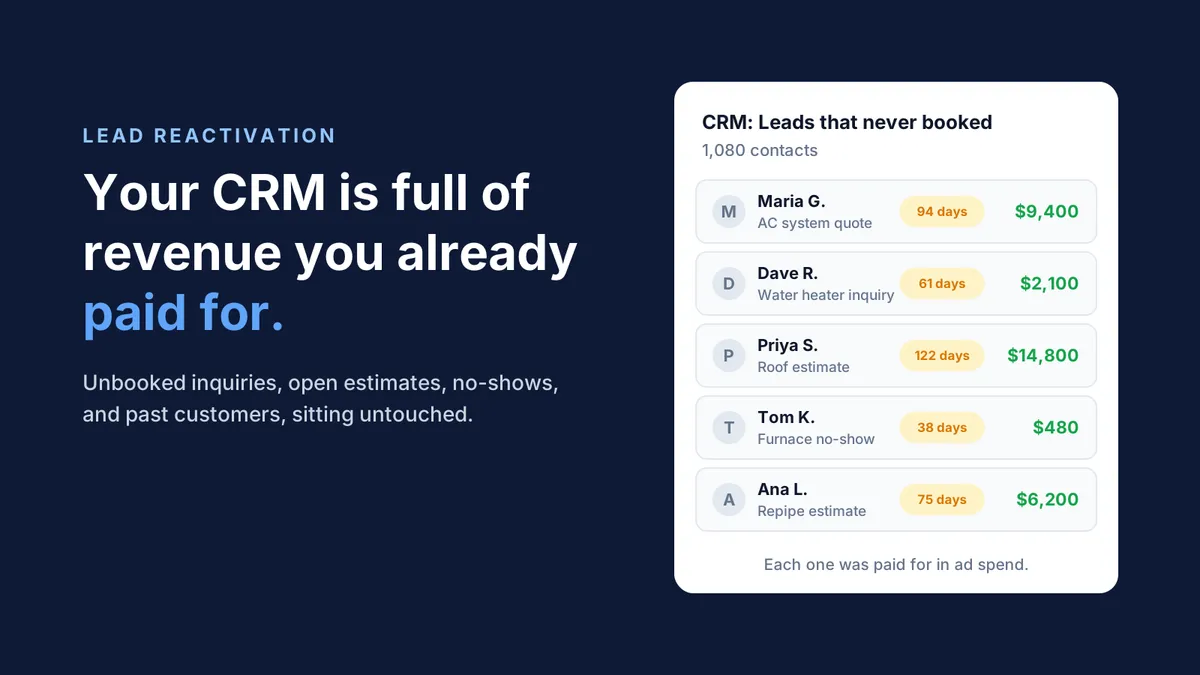
Open your CRM and filter for every lead that never booked. If you run a busy HVAC, plumbing, or roofing shop, that list probably runs into the hundreds, maybe the thousands. Each name on it is a homeowner who once raised their hand and said, "I need help."
You paid to get every one of them. You paid for the Google Ads click, the Local Services Ads lead, the Angi fee, the mailer, or the truck wrap that made them call. Then life got busy, the follow-up never happened, and they went quiet.
Those contacts are not dead weight. They are the cheapest jobs you will ever book, because the marketing bill is already paid. Getting them back has a name: lead reactivation.
What Lead Reactivation Is
Lead reactivation is the process of re-engaging leads already sitting in your CRM who showed interest in the past but never booked a job. Instead of buying new demand, you go back to people who already know your name and already had a problem worth calling about.
It is sometimes called database reactivation, and it covers a few different groups:
Unbooked inquiries: people who called, filled out a form, or requested a quote but never scheduled.
Unclosed estimates: homeowners who got a price for a new system, a repipe, or a roof and never said yes.
No-shows and cancellations: appointments that fell off the board and were never rebooked.
Past customers: people you served before who are due for maintenance, a tune-up, or a replacement.
Lead reactivation is different from lead nurturing. Nurturing is the steady drip that keeps a new lead warm while they decide. Reactivation starts after that window has closed, when the lead has gone cold and nobody on your team is touching it anymore.
It is also different from generating new leads. New lead generation costs more every year as more contractors bid on the same keywords. Reactivation works a list you already own.
Why Leads Die in the CRM
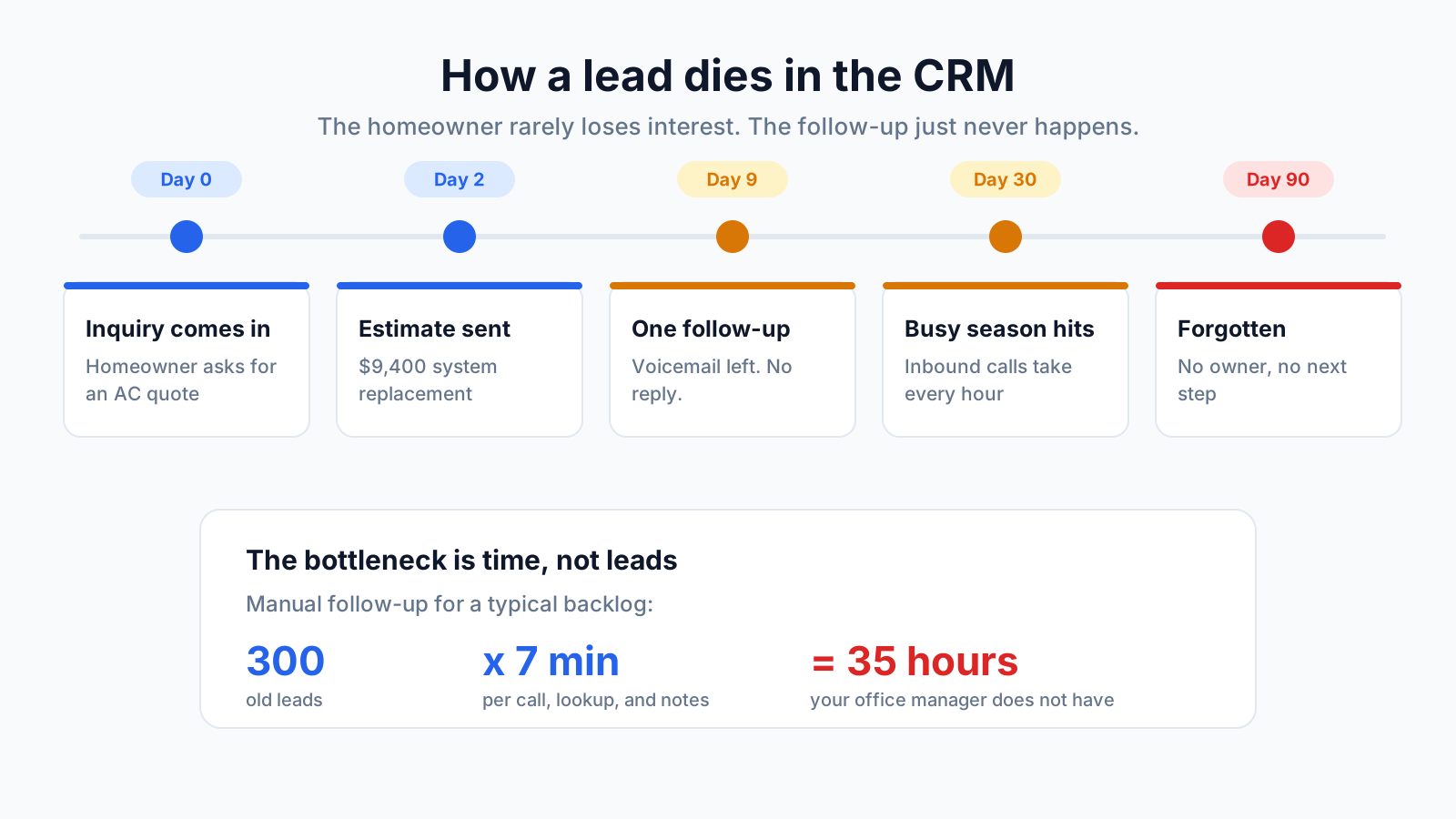
Leads rarely die because the homeowner lost interest. They die because nobody followed up, and the reason nobody followed up is almost always time.
Picture a typical Tuesday for your office manager. The phones ring nonstop. Two techs need parts confirmed. A customer is disputing an invoice. Tomorrow's schedule has three gaps and a callback that has to be moved. Somewhere in that day, they are also supposed to scroll through ServiceTitan, Housecall Pro, or Jobber, find every quote from 45 days ago, and call each homeowner one by one.
It does not happen. Not because your team is lazy, but because manual follow-up is slow, repetitive, and always loses to whatever is urgent right now. A single follow-up call can take five to ten minutes once you count looking up the job, dialing, leaving a voicemail, and logging notes. Multiply that by 300 old leads and you have weeks of work nobody has time for.
A few other patterns make it worse:
Busy season buries the backlog. When the first heat wave hits, every hour goes to inbound calls, and older leads slide further down the list.
One attempt and done. Most manual follow-up stops after one call or one text. Homeowners often need several touches before they respond.
No owner. Leads that are not assigned to a person, with a date, quietly expire.
Slow first response. Research published in Harvard Business Review found firms that tried to reach a lead within an hour were nearly seven times as likely to qualify it as firms that waited even an hour longer. Many leads never get that first meaningful contact at all, which is why your speed to lead matters so much.
The result is a CRM that works like a filing cabinet instead of a pipeline. The data is all there. Nobody has the hours to act on it. That is the lead leakage most home service businesses never see on a report.
The Revenue You Already Paid For
Every lead in your CRM carries a cost you have already absorbed. Leads in home services are not cheap, and they keep getting more expensive.
A January 2026 analysis of 816 HVAC and plumbing contractors by SearchLight put the blended Google Ads cost per lead at $104, rising to $149 for non-branded searches (source).
LocaliQ's 2025 home services benchmarks put HVAC leads at roughly $128 each, well above the home services average of about $91 (source).
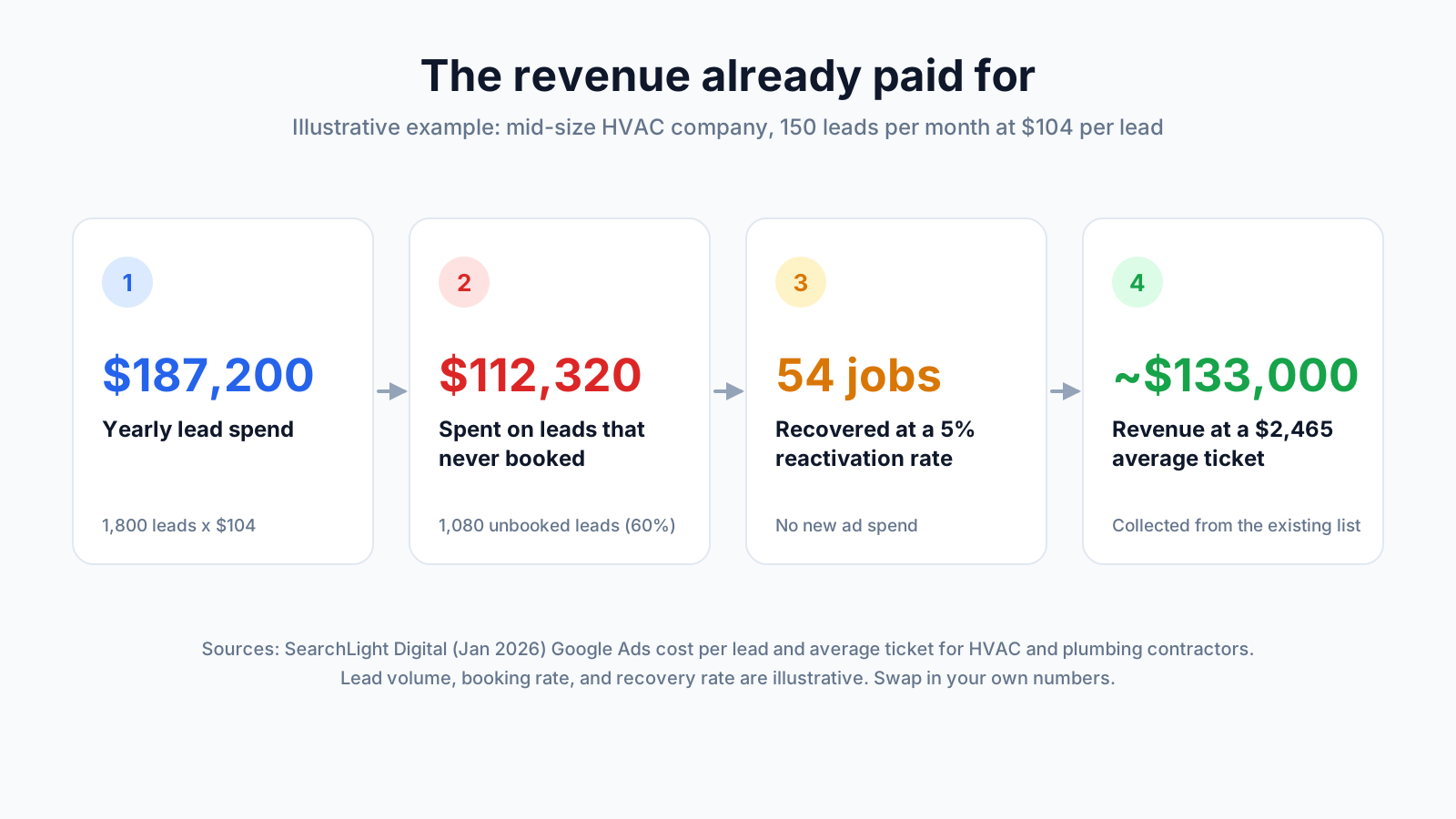
Now run the math on the leads that never booked. Here is a simple example for a mid-size HVAC company. The inputs are illustrative, so swap in your own numbers.
Line | Value |
|---|---|
Leads per month | 150 |
Cost per lead | $104 |
Leads per year | 1,800 |
Share that never booked (60%) | 1,080 leads |
Marketing spend on leads that never booked | $112,320 |
Jobs recovered if you reactivate just 5% | 54 jobs |
Revenue at a $2,465 average ticket | About $133,000 |
The $2,465 average ticket comes from the same SearchLight dataset. Even at a 5% recovery rate, which is a modest target, the jobs pay back more than the original spend on those leads.
That is the real case for lead reactivation. It is not a new marketing channel. It is a way to collect on marketing you already bought.
How Lead Reactivation Works on a Schedule
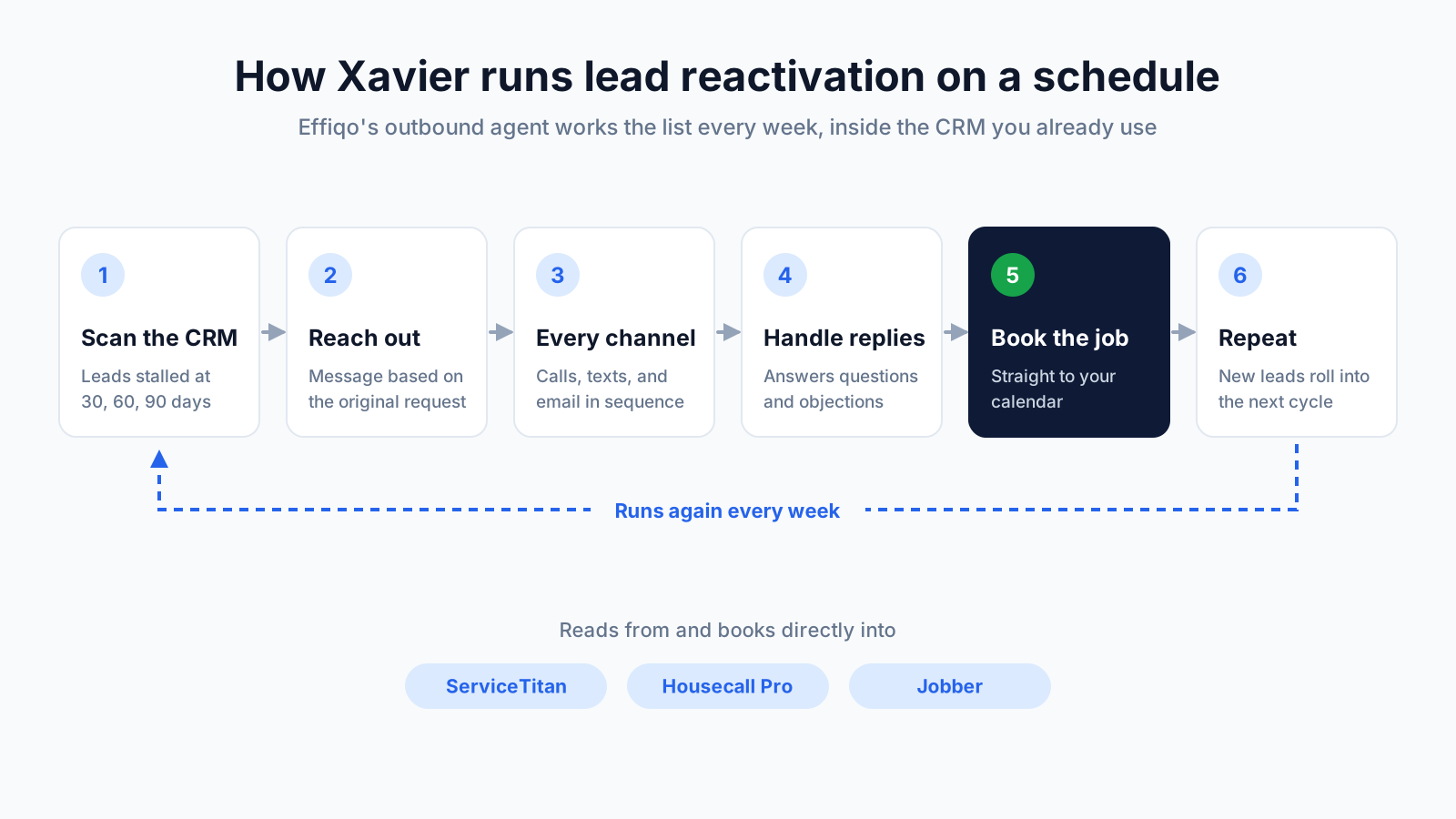
The best reactivation programs do not run as a one-time cleanup project. They run on a schedule, every week, so no lead ever sits untouched for long. That is the job Effiqo built Xavier to do.
Xavier is Effiqo's outbound AI agent. He works the list your team does not have time to work. Instead of asking your office manager to dig through old records, Xavier connects to your CRM, whether that is ServiceTitan, Housecall Pro, or Jobber, and finds the leads that stalled.
Here is how a reactivation cycle runs:
Scan the CRM. Xavier pulls leads that did not close at the 30, 60, and 90 day marks, plus open estimates, no-shows, and past customers due for service.
Reach out with context. Each contact gets a relevant message based on what they asked about the first time, such as "You got a quote for a new AC system in July. Want to revisit it before summer pricing changes?"
Work across channels. Xavier coordinates voice calls, SMS, and email in a sequence, so one missed text does not end the conversation.
Handle the reply. When a homeowner writes back with a question or an objection, Xavier answers it, remembers past conversations, and keeps steering toward a booked appointment.
Book and hand off. Once the homeowner says yes, the job lands on your calendar. Anyone who opts out is removed from future outreach.
Repeat. As new leads age past 30 days, they enter the next cycle automatically.
The bottleneck was never the leads. It was the hours. Xavier removes that bottleneck, so your office manager spends their day on the customers in front of them while the old list gets worked in the background.
One note on doing this right: reactivation outreach should go only to contacts who have given you permission to call or text them, and every message should make it easy to opt out. A good system handles consent and opt-outs for you.
What to Look for in a Lead Reactivation System
Not every tool that sends a message to old contacts is a reactivation system. Before you choose one, check it against this list:
Direct CRM integration. It should read from and write back to ServiceTitan, Housecall Pro, or Jobber, so no one has to export spreadsheets or re-enter bookings.
Real conversations, not one-way blasts. A text that says "Still need help?" and then hands every reply back to your dispatcher only moves the work around. The system should answer questions and handle objections on its own.
Booking, not just replies. The goal is a job on the board. Look for a system that confirms a time and books it directly.
Multi-channel sequences. Calls, texts, and email working together reach more people than any single channel.
Context from the original lead. Outreach that references the actual estimate or service request gets better responses than a generic "checking in."
Runs on a schedule. Reactivation should happen every week as leads age, not once a year when someone remembers.
Consent and opt-out handling. It should respect contact preferences and stop outreach the moment someone asks.
Clear reporting. You should see how many leads were contacted, how many replied, and how many booked, so you can tie revenue back to the program.
If a tool checks only the first two boxes, you have a text blaster. If it checks all of them, you have a revenue recovery system. Ready to put it into practice? Our step-by-step guide, How to Turn Dead Leads in Your CRM Into Booked Jobs, walks through the exact sequence, timing, and channels.
Frequently Asked Questions
What is lead reactivation?
Lead reactivation is the process of re-engaging past leads in your CRM who showed interest but never booked. For home service businesses, that includes unbooked inquiries, unclosed estimates, no-shows, and past customers due for service.
How is lead reactivation different from lead nurturing?
Lead nurturing keeps a new lead warm while they are still deciding. Lead reactivation starts after the lead has gone cold and nobody is actively following up.
How old can a lead be and still be worth reactivating?
Leads from 30, 60, and 90 days ago are the usual starting point, but older leads can still convert. Homeowners who got a quote last season often still need the work.
Does lead reactivation work with ServiceTitan, Housecall Pro, and Jobber?
Yes. Effiqo's outbound agent, Xavier, integrates with ServiceTitan, Housecall Pro, and Jobber, finds stalled leads, and books revived jobs straight to your calendar.
Is it legal to text old leads?
You should only call or text contacts who have given you consent, and every message should include an easy way to opt out. Check your local rules or speak to a legal advisor if you are unsure.
Your CRM is full of jobs you already paid for. See how Xavier finds them and books them back onto your board. Book a Demo


